

What is a Transfer Certificate (TC)?
A Transfer Certificate is an official document issued by an institution when a student leaves the school or college. It confirms that the student has completed their studies up to a certain academic year and is eligible to join another institution.
Prerequisites Before Issuing TC
Before you start, ensure:
The student record exists in the Admission List
You know the academic year for which TC needs to be issued
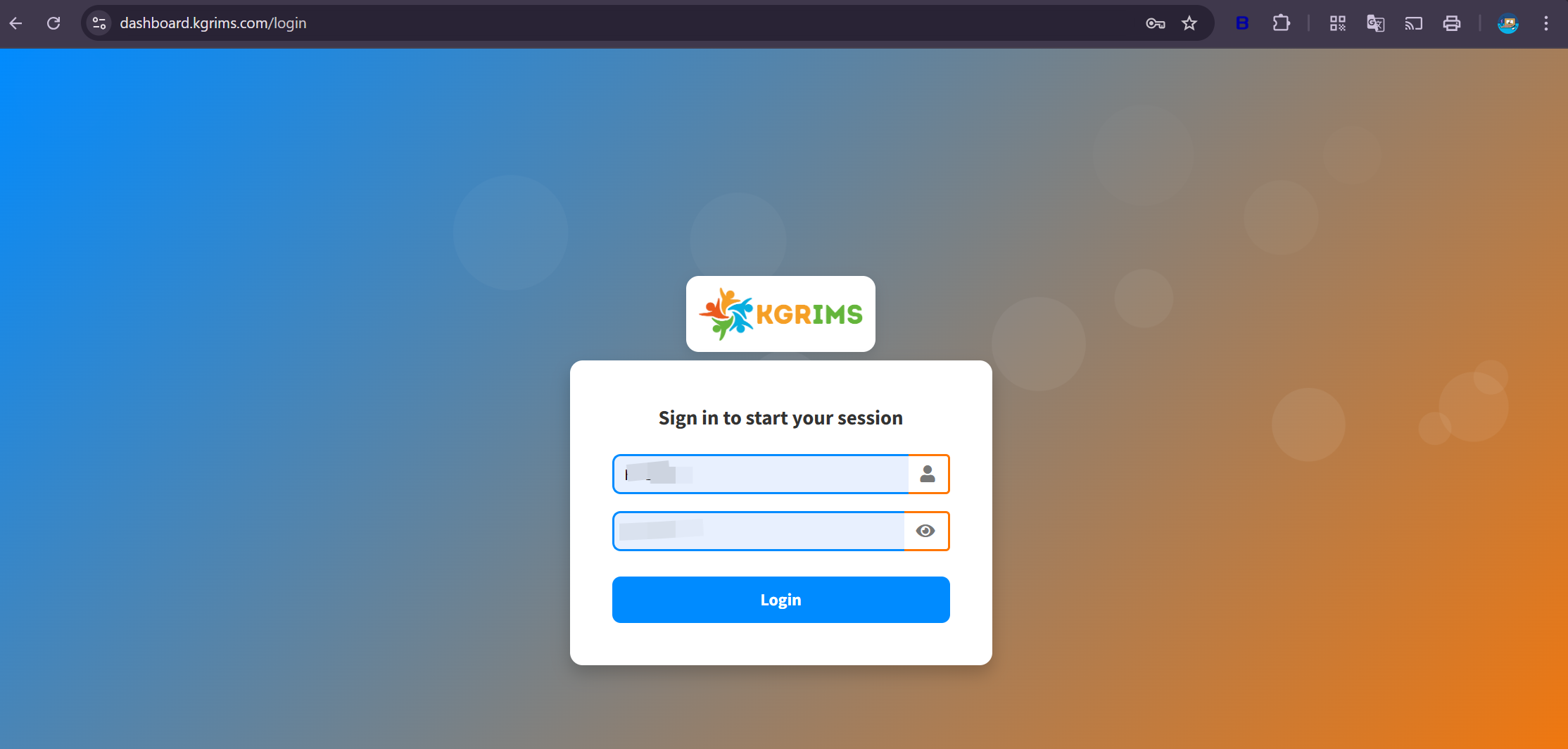
Step 1: Login to APTORA IMS
Go to https://dashboard.kgrims.com/login
Login using your username and password
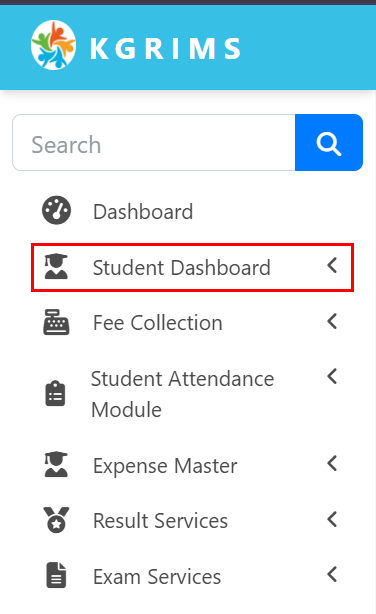
From the left sidebar menu, click on Student Dashboard
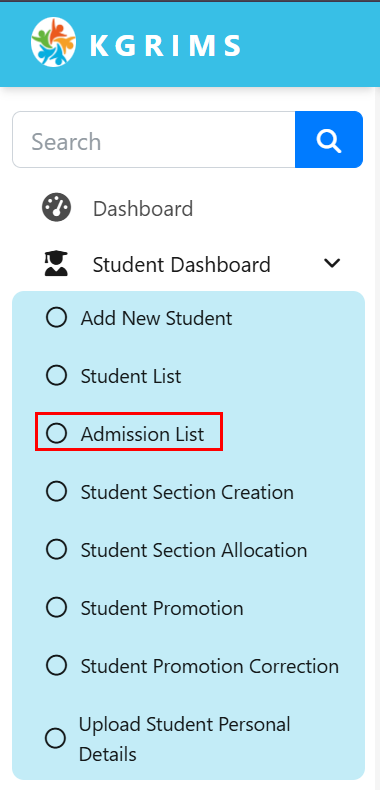
Step 3: Select Admission List
Inside the Student Dashboard, click on Admission List
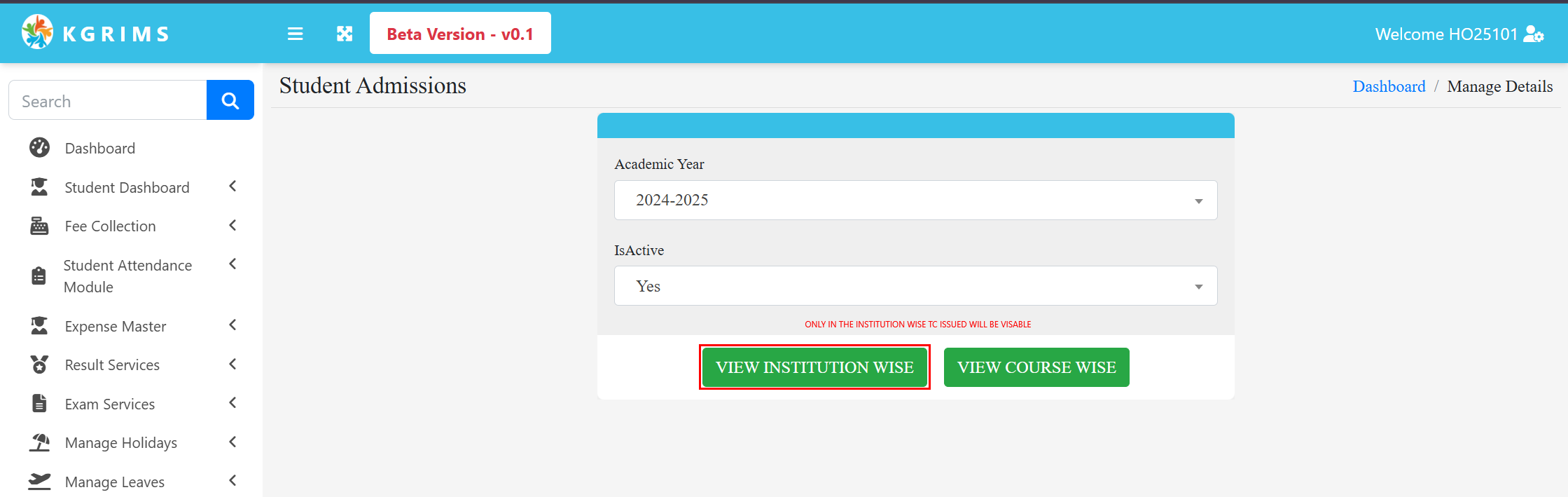
Select the Academic Year for which the student’s TC is to be issued
Set Active Status to Yes
Select Institution-wise option
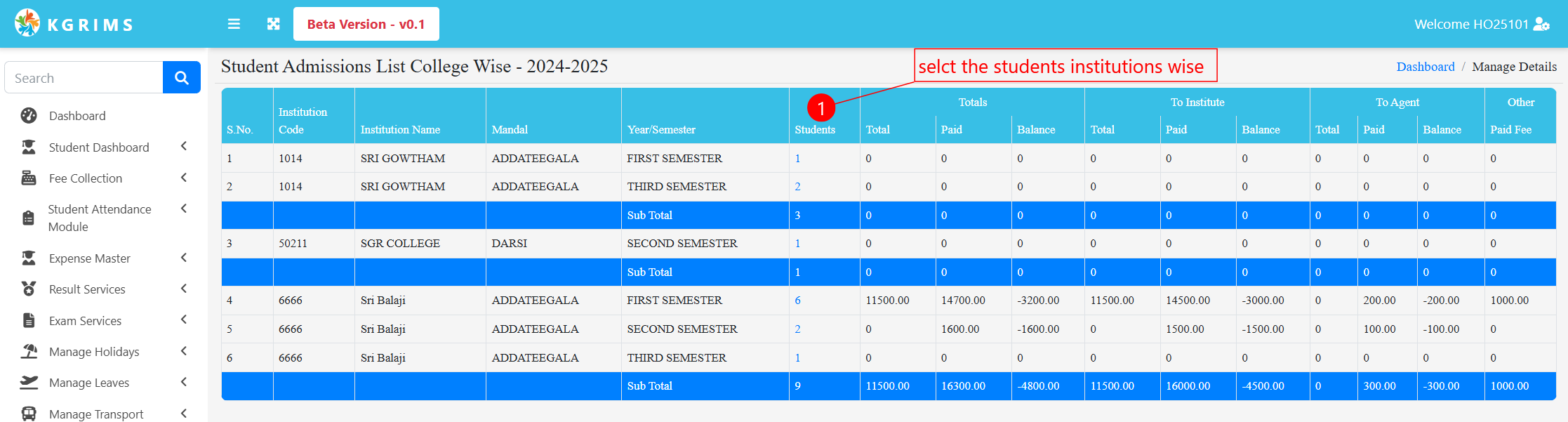
Step 5: Select Student
Institution details will now be visible
The student list will be displayed
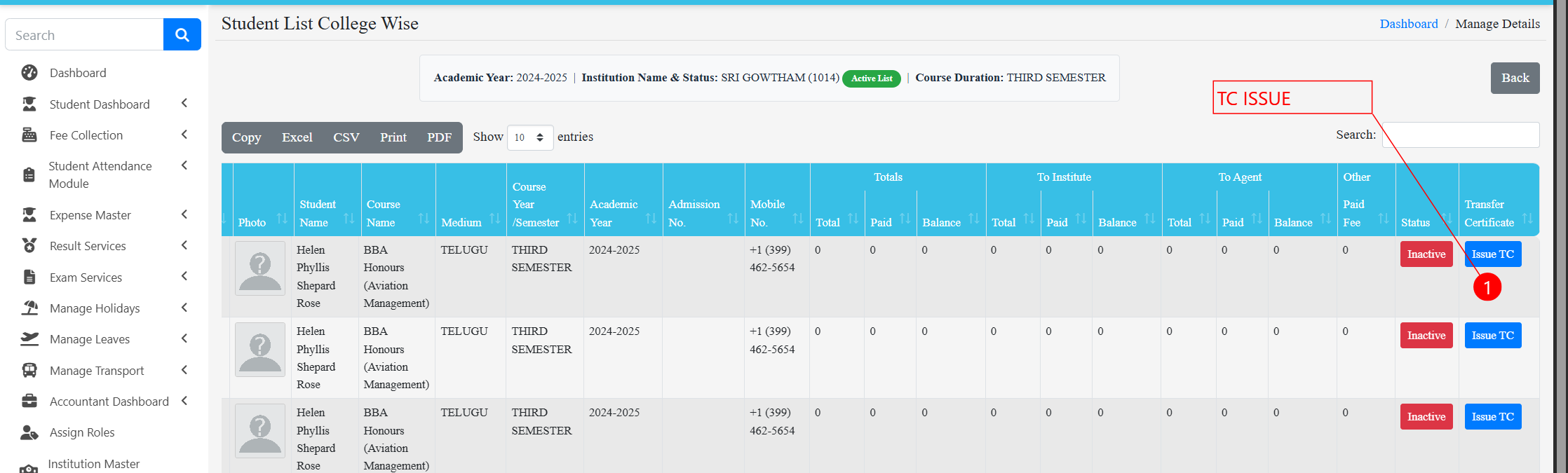
Step 6: Click on “Issue TC”
On the left side, click the Issue TC button
Select the student from the list
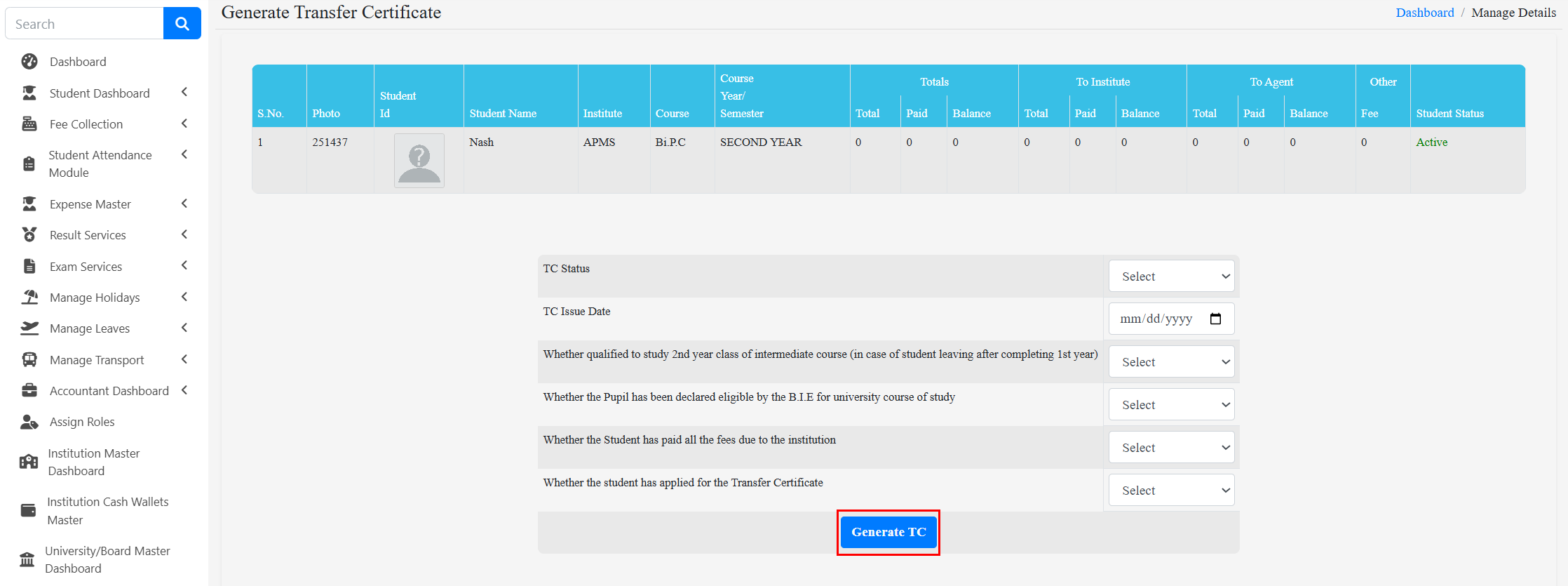
Step 7: Enter TC Details
Fill in:
TC Issued Date
Other required TC options
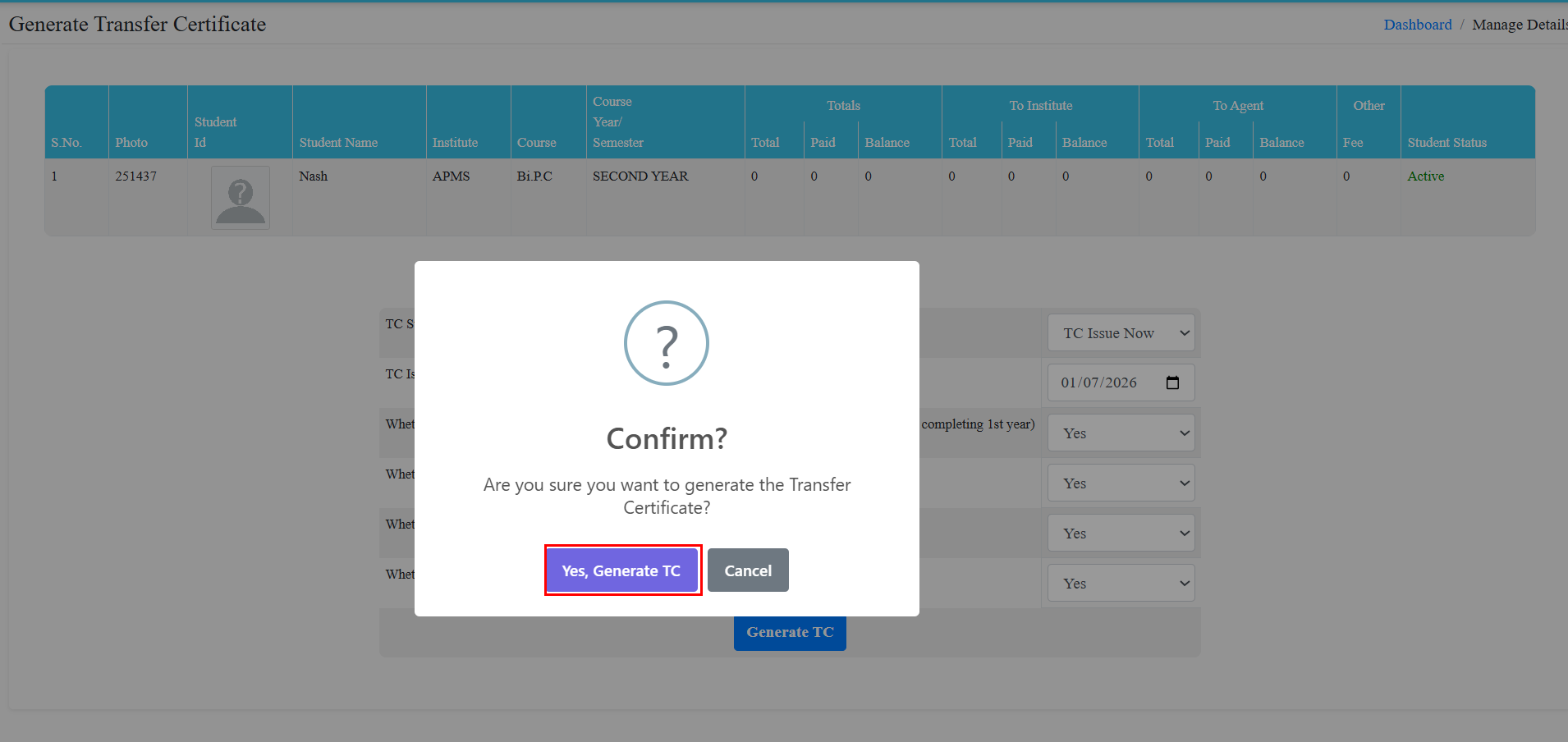
Click on Generate TC
A popup message will appear:
“Are you sure you want to generate the Transfer Certificate?”
Click Yes, Generate Tc
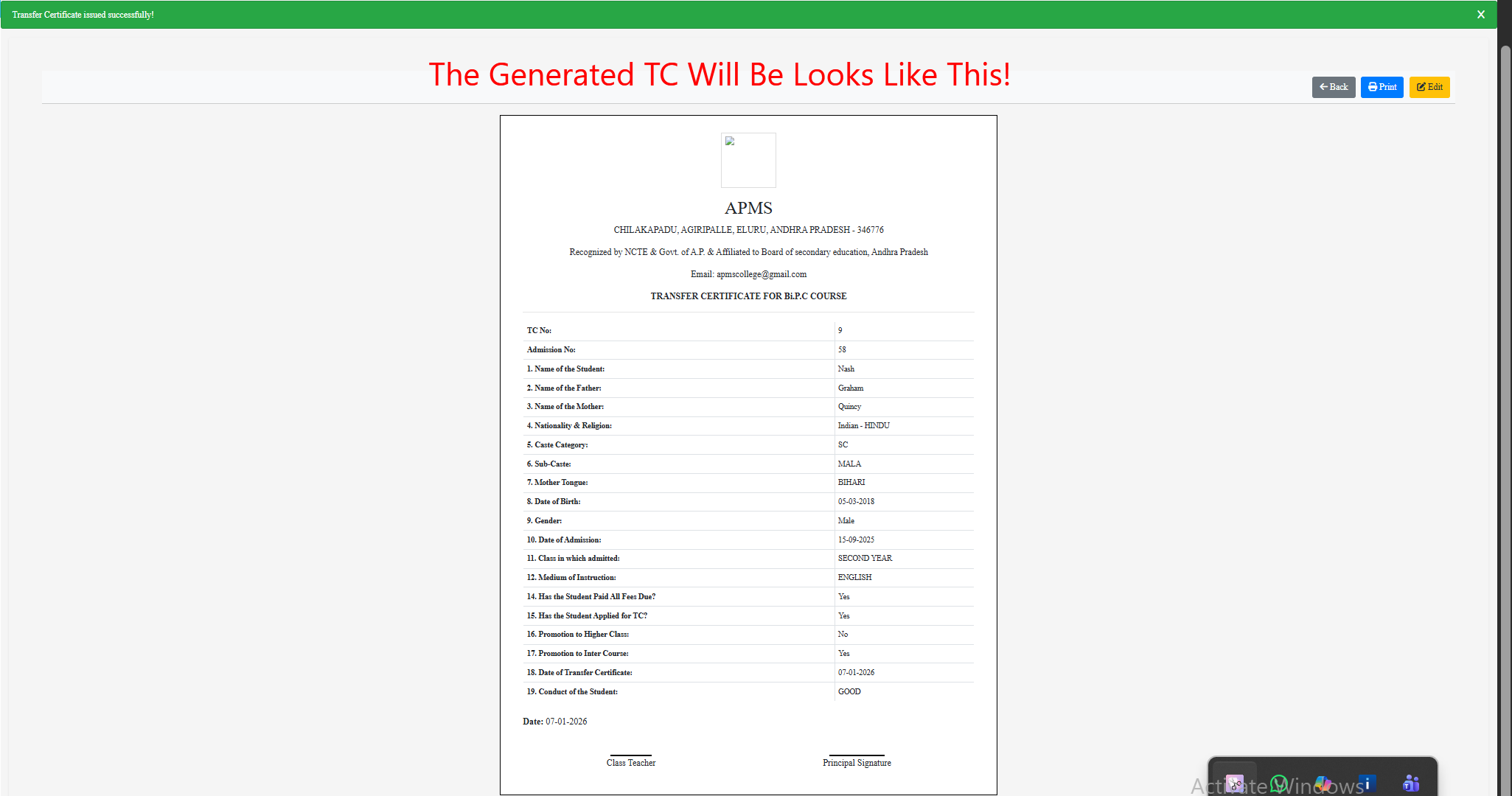
The Transfer Certificate is now generated
You can:
Print the TC directly
Get signatures from Class Teacher and Principal
Add the institution stamp
Distribute the TC to the student
✅ Fast & error-free TC generation
✅ Centralized student records
✅ Printable, standard TC format
✅ Saves administrative time
✅ Secure and reliable process
Talk to our expert or contact us for further queries